




Card collection tracker for iPhone

Collect ’em all — every game, every binder.

Snap a card and ChaseBinder names it, pulls its market price, and files it into your collection, your binders, your wishlist and your progress — all in one go.

See how it works Coming soon on the App Store
  • Free, with 25 scans a month
  • No account needed
  • iPhone · iOS 17 or later

6 games at launch

More games coming soon
  • More games coming soon

How it works

Snap. Match. File.

From card in hand to priced and filed in under 30 seconds — or work through a whole stack without stopping.

  1. 01

    Snap

    Point your camera at a stack. ChaseBinder finds each card, straightens it, and takes the shot itself the moment it holds still. Swap in the next card and keep going — it reads them while you scan.

  2. 02

    Match

    The name and collector number come off the card. Then your photo is compared, on your phone, with every printing of that name — so reprints and alternate versions land on the right one.

  3. 03

    File

    Check the batch and tap Add. Every card lands in your Collection with its market price, ticks off your wishlist, and lights up your progress. Nothing is saved until you say so.

Inside the app

Built like a real binder

Real screens from ChaseBinder on iPhone.

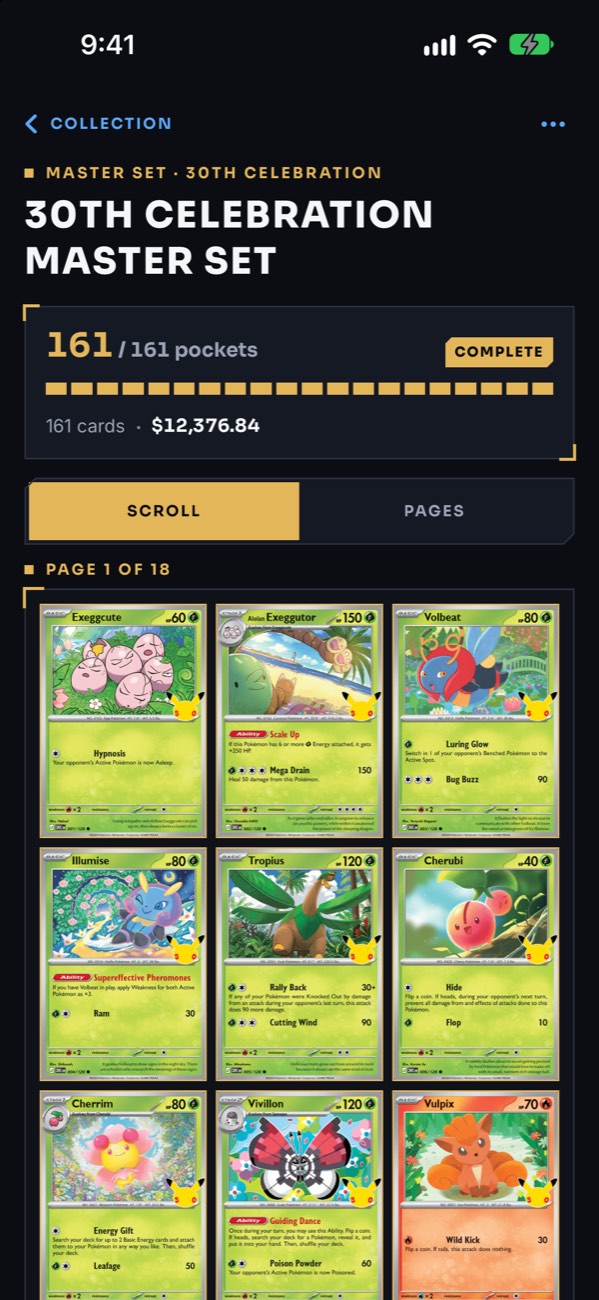
A complete 30th Celebration master-set binder: 161 of 161 pockets, worth $12,376.84, shown nine cards to a page.
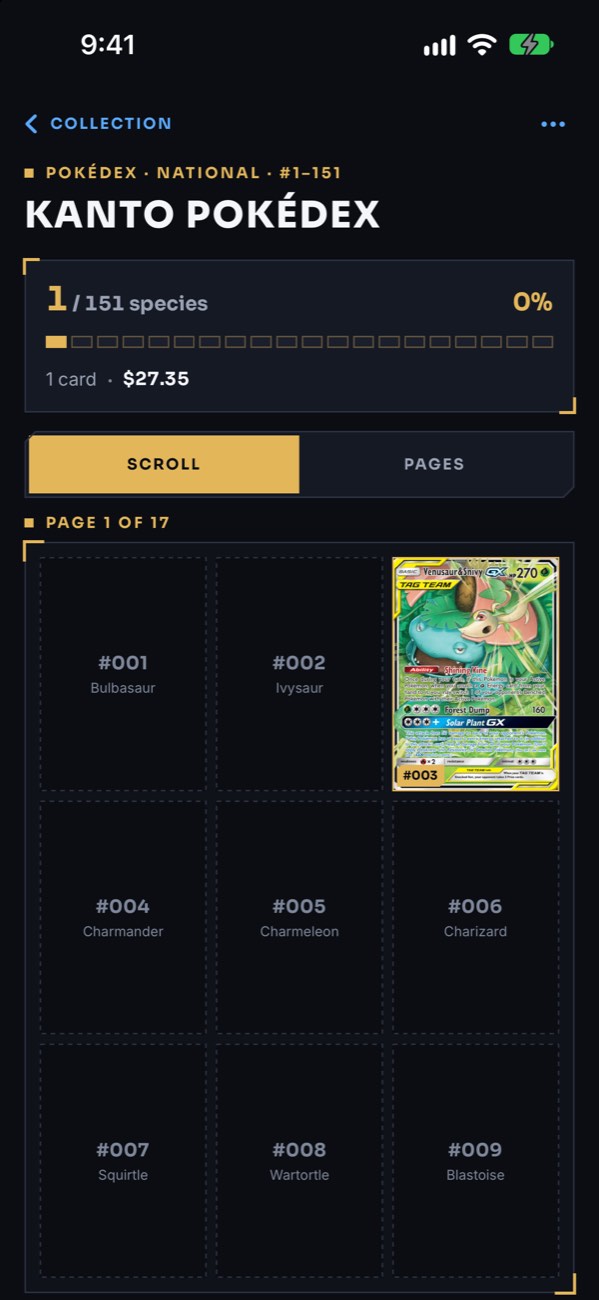
A Kanto Pokédex binder: dashed pockets name the missing Pokémon, and a TAG TEAM card fills #003.

Binders

Build binders like the real thing

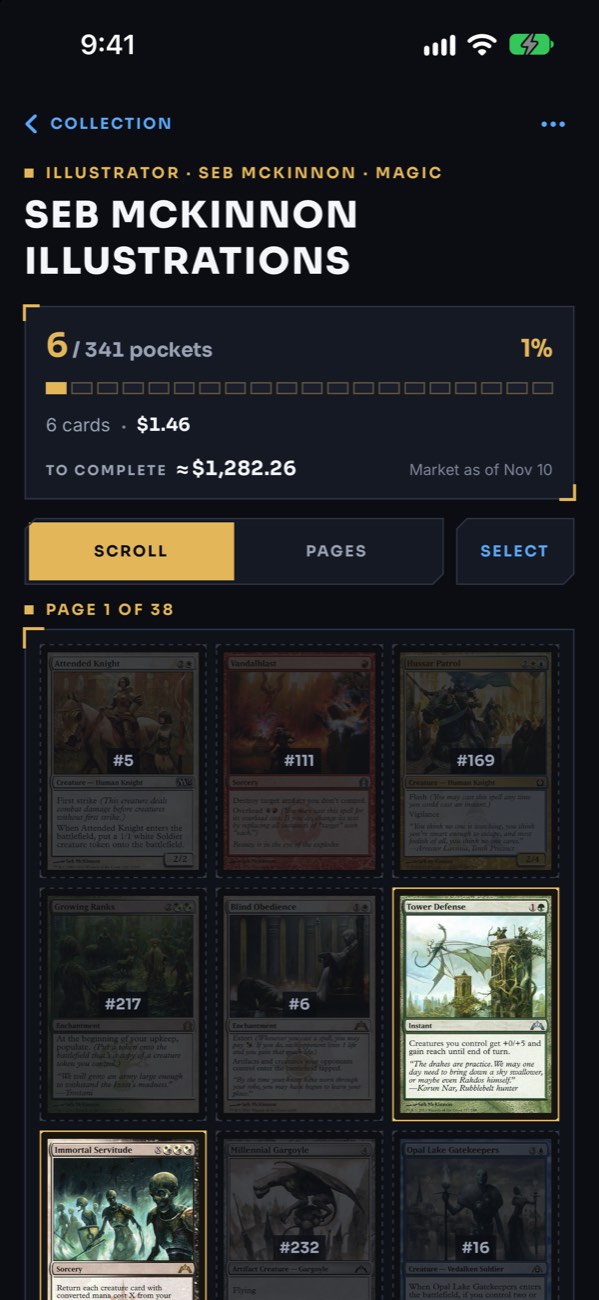
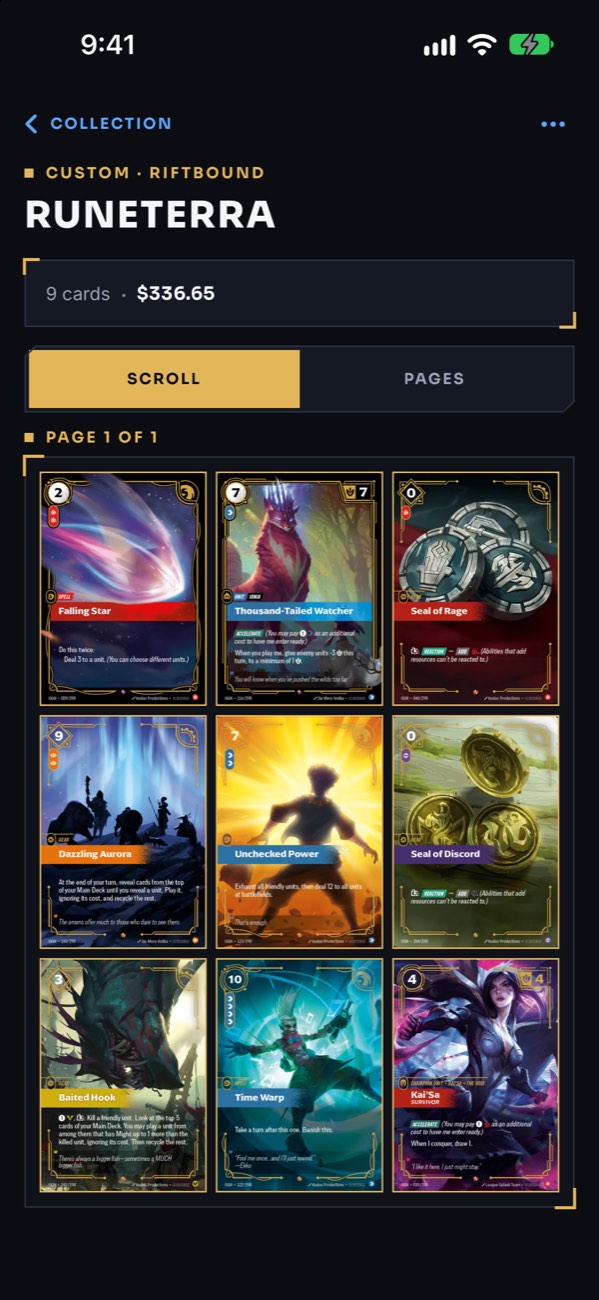
Make a binder for a Pokédex, a master set, one illustrator’s cards, a single Pokémon or any theme you like. Each one fills its pockets in checklist order, names what goes in the empty ones, and adds up its value and what’s left to complete.

  • Pokédex, master set, illustrator, one Pokémon or your own theme
  • 3×3, 4×4 or 5×5 pages: scroll through, or turn them one at a time
  • Scan cards straight into the binder they belong in
  • 2 binders free, as many as you like with Pro
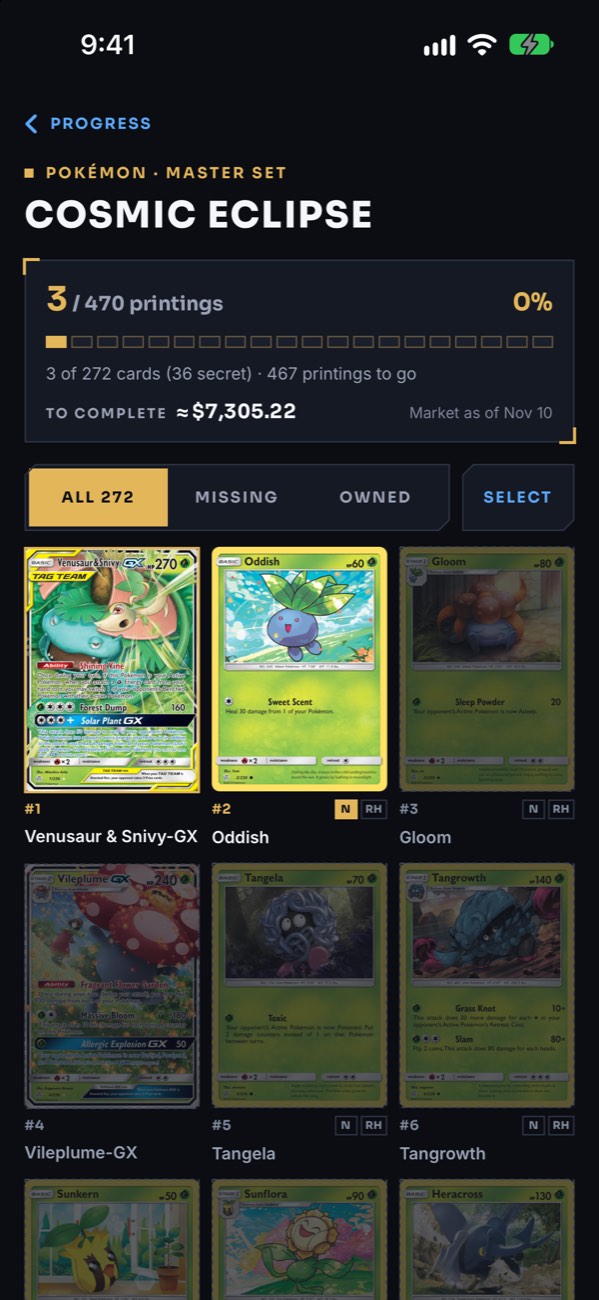
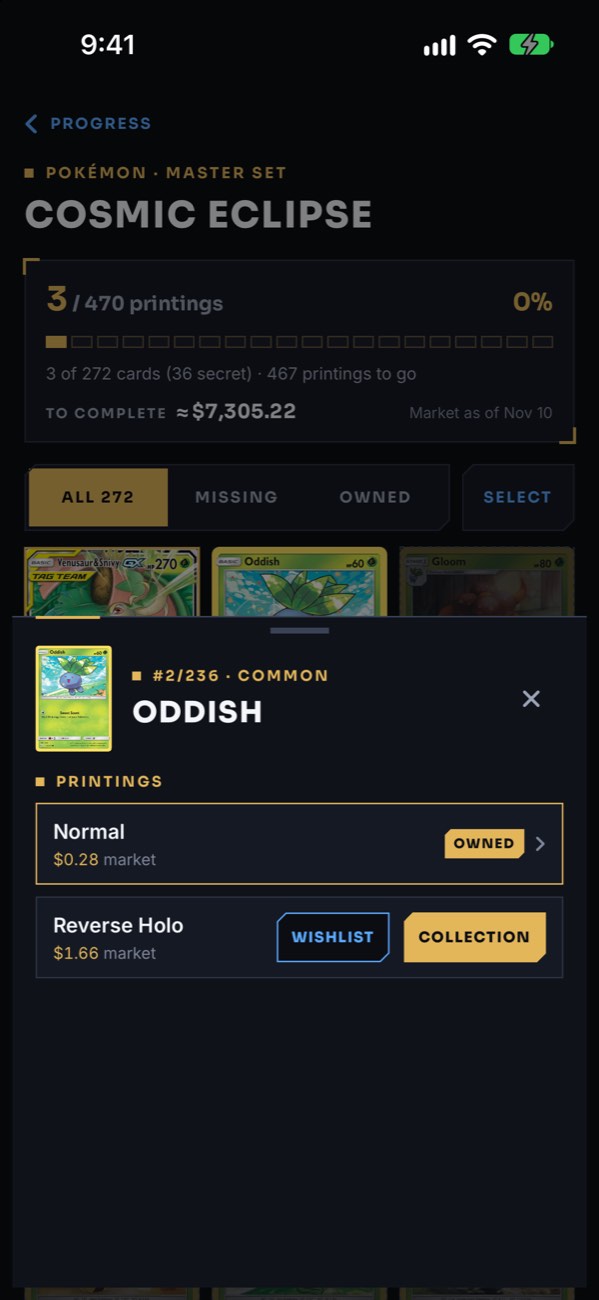
The Cosmic Eclipse master-set checklist: 3 of 470 printings owned, about $7,305.22 to complete, with Normal and Reverse Holo tags on each card.
A card’s printings: Normal owned at $0.28, and Reverse Holo at $1.66 with buttons to add it to the wishlist or collection.

Master sets

Every card, in every printing

Open any Pokémon set you’ve started and see the whole master set: every card, secret rares included, in every printing — Normal, Holo, Reverse Holo and the Poké Ball and Master Ball patterns. What you own shines, what you don’t waits dimmed, and ChaseBinder adds up what it would cost to finish.

  • Each printing tracked and priced on its own
  • “To complete” from today’s market prices
  • Select every missing card and add them in one go (Pro)
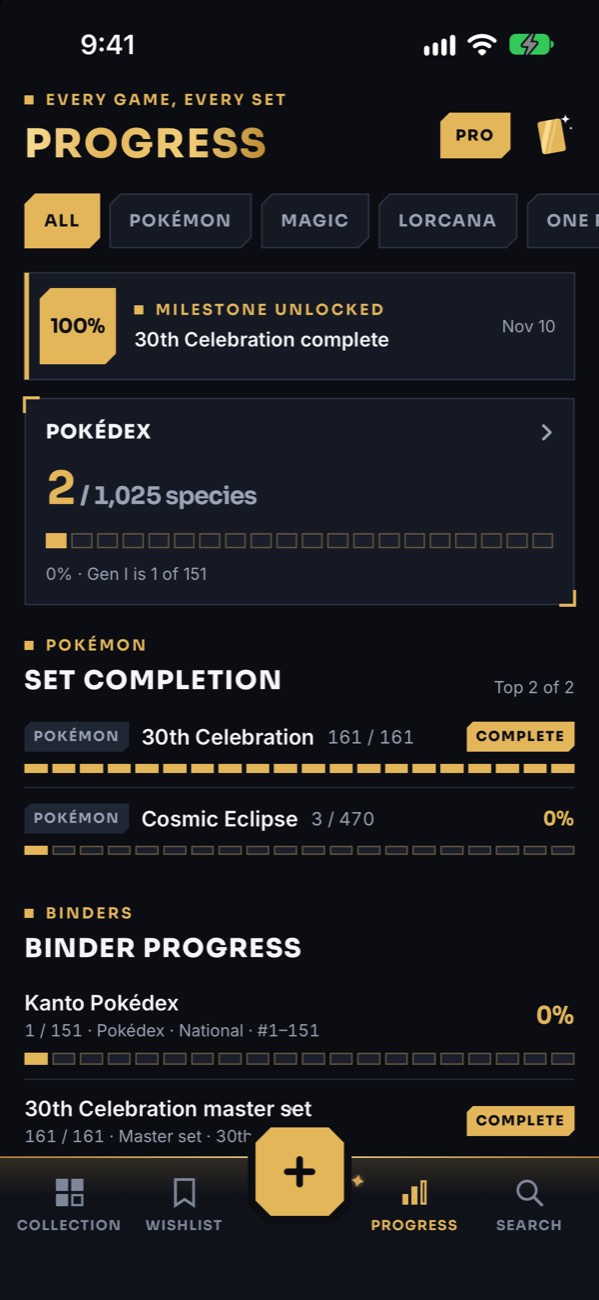
The Progress tab: a 100% milestone for 30th Celebration, the Pokédex count, set completion bars and binder progress.
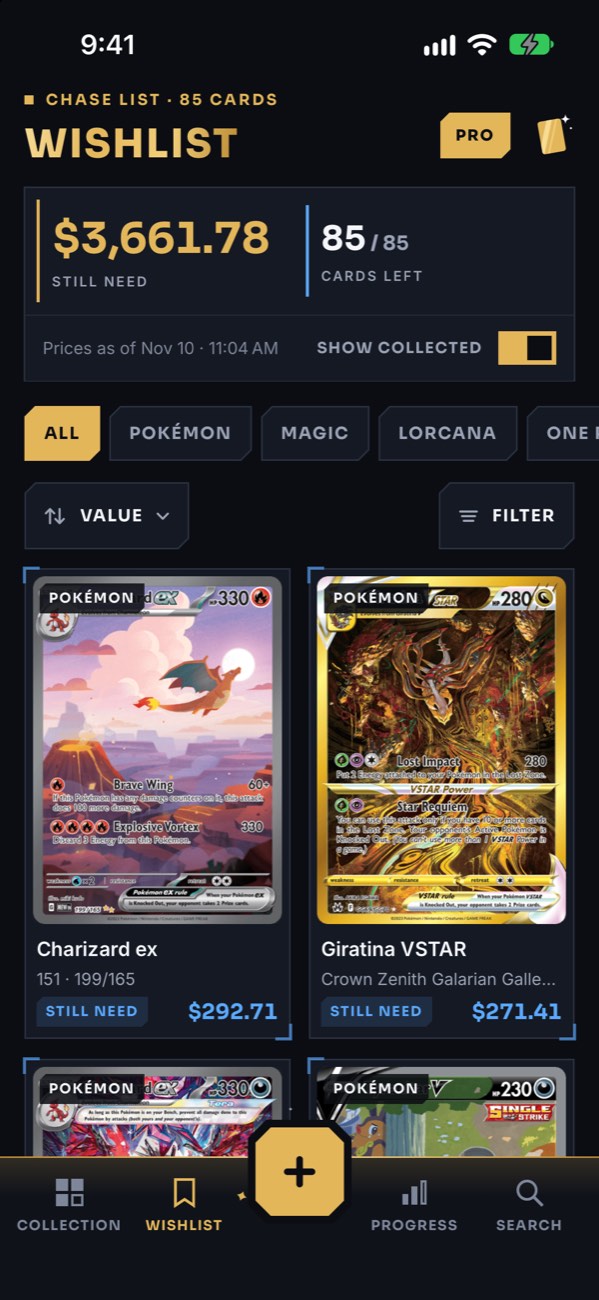
The wishlist: $3,661.78 still needed across 85 cards, led by Charizard ex and Giratina VSTAR.

Progress and wishlist

Know exactly where you stand

Track the Pokédex by species — National, or the Ultimate dex of 1,437 forms — and every set by completion, with milestones as you go. Your wishlist totals what you still need, checks itself off as you collect, and links every card to its TCGplayer and eBay listings.

  • Milestones every 50 species and at 25, 50, 75 and 100% of a set
  • TAG TEAM cards count for every Pokémon on them
  • TCGplayer, eBay and eBay sold links on every card
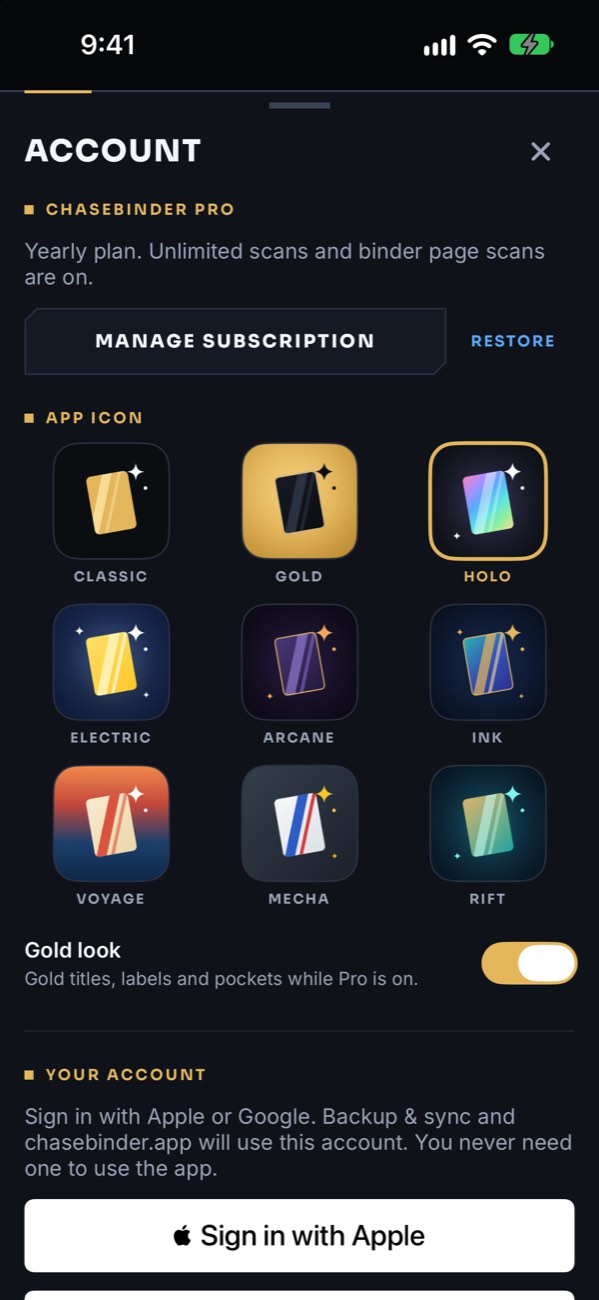
Nine ChaseBinder app icons — Classic, Gold, Holo, Electric, Arcane, Ink, Voyage, Mecha and Rift — and the Gold look switch.

Pro look

Make it yours

Pro turns ChaseBinder gold — foil titles, gold labels, gold-edged pockets and a gold tab bar — and unlocks nine home screen icons, from Classic and Gold to Holo, Arcane and Rift.

  • The gold look, with a switch to turn it off
  • Nine original app icons

Features

Do I have it? Do I need it? What’s it worth?

Every answer on one screen, for every card in every game you collect.

Scan a whole binder page Pro

Shoot a 9, 16 or 25-pocket page and every pocket is read on its own. On a Pokédex-ordered page, ChaseBinder works out which species belong in the empty pockets, so you know exactly what to chase next.

Your binder lives on your iPhone

No sign-up, no ads, no tracking. Everything you’ve saved is there offline with its last known prices. With Pro, sign in to back up your cards and sync them across your devices — your card photos never leave your phone.

Real market prices

Market prices from TCGplayer and Scrydex, refreshed daily. No price yet? It says so — never a made-up $0.00 — and you can add your own.

English, Japanese and Chinese

Reads English and Japanese cards, and recognizes Chinese Pokémon cards in Simplified and Traditional. Japanese Pokémon cards get their own Japanese market price.

Search every game, every set

Look up any card by name — add a number to narrow it, like “charizard 125” — and add it straight to your collection or wishlist, no scan needed.

Pricing

Free to collect. Pro to go faster.

Everything works for free. Pro is for scanning a lot, building every binder you want, and keeping it all backed up.

Free
$0

All six games, no account

  • Collection, Wishlist, Progress and Search
  • Market prices, refreshed daily
  • Add any card by search, any time
  • 2 binders, any kind
  • 25 card scans every month
ChaseBinder Pro

For the serious chase: scan without limits, build every binder you want, fill a checklist in one go, and keep it all backed up.

Monthly $4.99 a month
Save 33% Yearly $39.99 a year · $3.33 a month
  • Everything in Free
  • Unlimited card scans
  • Unlimited binders
  • Binder page scans: 3×3, 4×4 and 5×5
  • Select: add a whole checklist at once
  • Backup and sync across your devices
  • The gold look and nine app icons
Coming to ProYour whole collection on chasebinder.app, and share links for your binders.

Pro is an auto-renewing subscription billed to your Apple ID. It renews automatically unless canceled at least 24 hours before the end of the current period; manage or cancel it in Settings. Prices shown in US dollars; your App Store price may differ by country. A scan is any card sent to the scanner — searching by name never counts, and free scans reset on the 1st of each month.

FAQ

Questions, answered

Do I need an account?

No. Everything works without one, and your collection is stored on your iPhone. Signing in with Apple or Google is optional: with Pro, it backs up your cards and syncs them across your devices.

Are my card photos uploaded?

Never. Your photos are read on your iPhone to identify each card and stay there. Backup and sync carries your card details only — never the pictures you take.

Which games does it support?

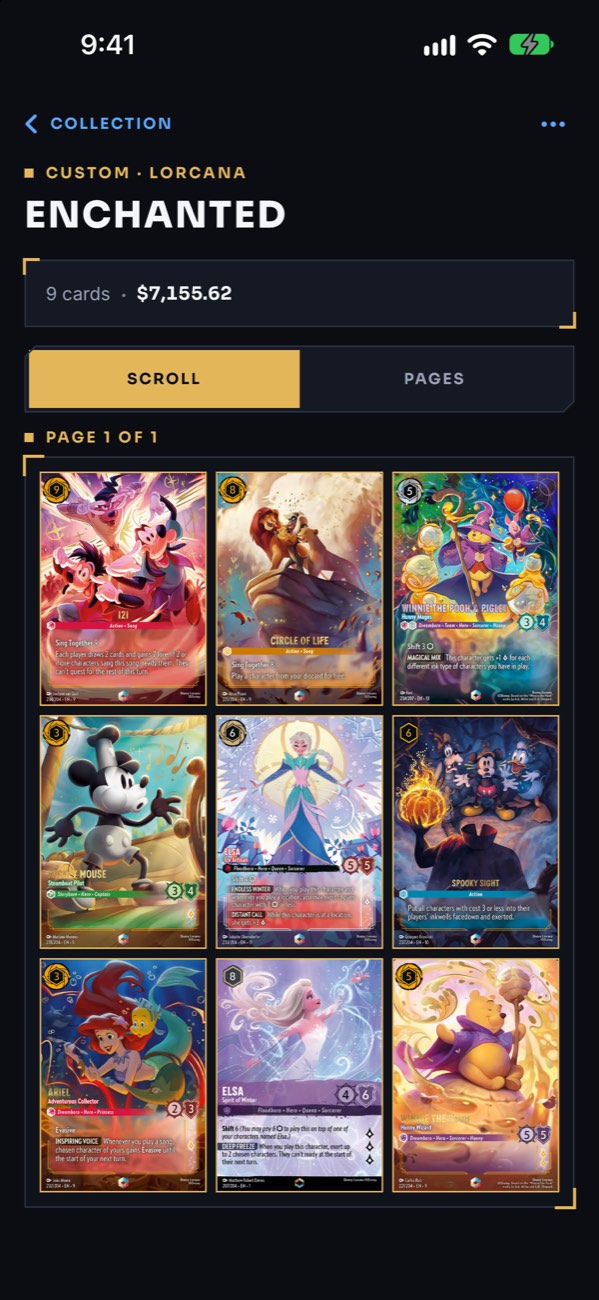
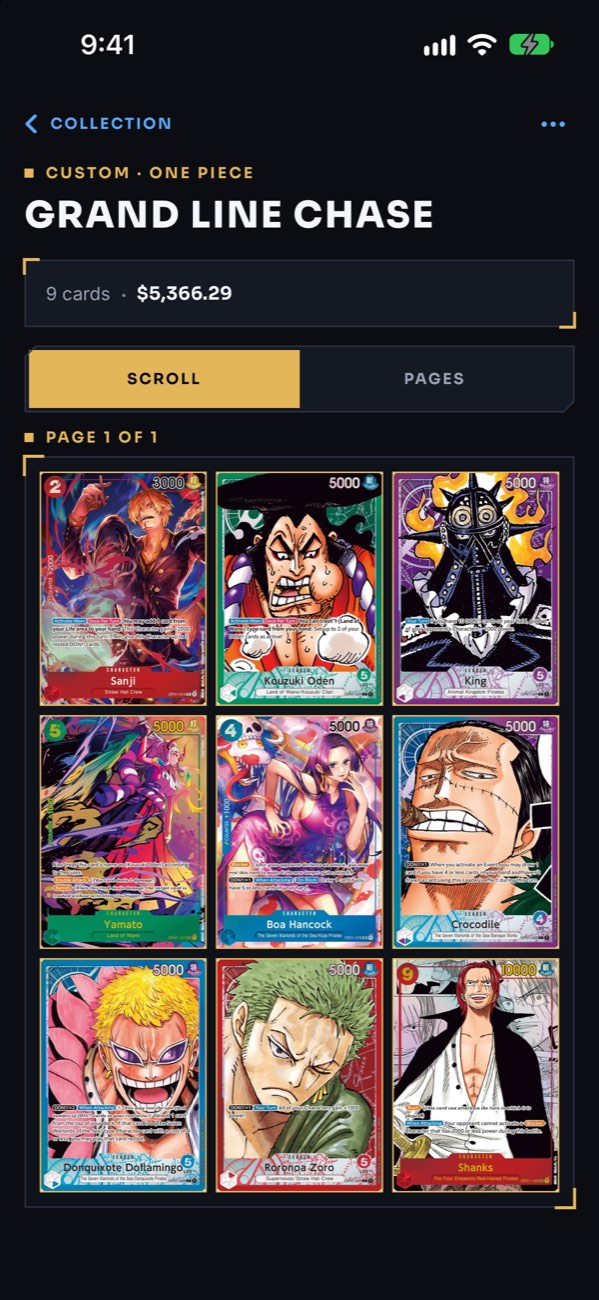
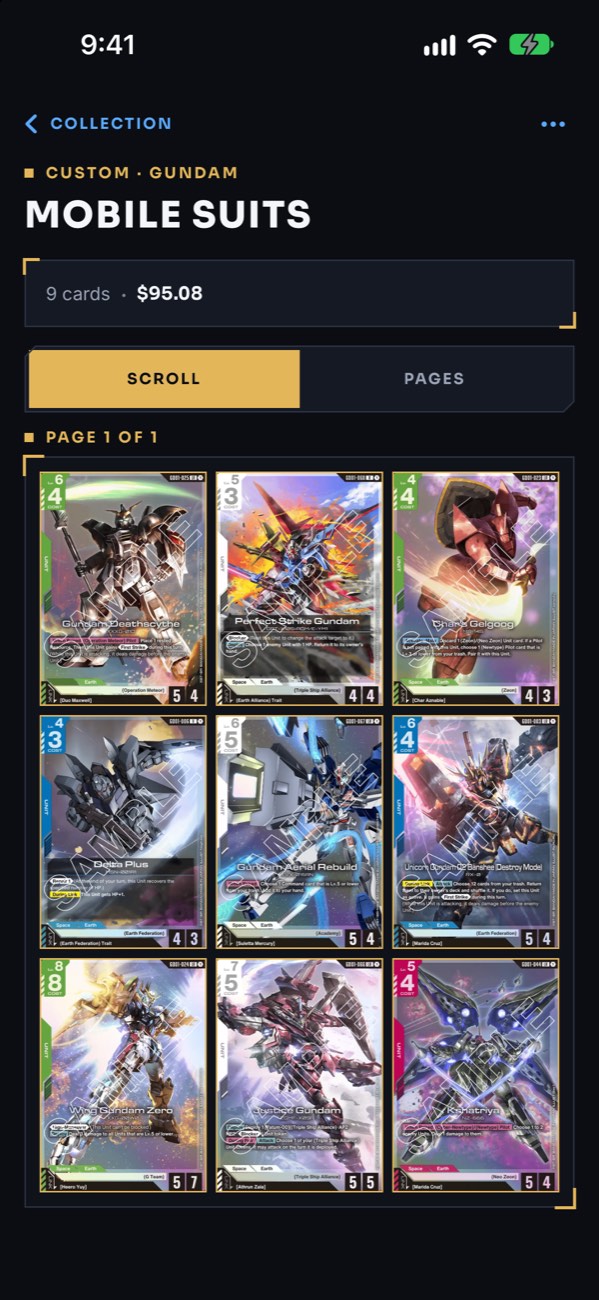
Six at launch: Pokémon, Magic: The Gathering, Disney Lorcana, One Piece Card Game, Gundam Card Game and Riftbound: League of Legends Trading Card Game — with more games on the way. Leave the scanner on Auto and it works out the game for you, or pick one first.

What’s a binder?

One works like the binders on your shelf: a Pokédex, a master set, one illustrator’s cards, one Pokémon or your own theme, in 3×3, 4×4 or 5×5 pages. Each card sits in one binder (or in Unsorted), and each binder tracks its own progress, value and what’s left to complete. Free includes 2 binders; Pro has no limit.

Where do the prices come from?

Every price is a market price from TCGplayer or Scrydex, depending on the game; Scrydex calculates its price across several sources. Prices refresh once a day when you open the app, and you can refresh by hand once an hour.

Market prices are estimates for ungraded cards — a guide, not an appraisal.

What counts as a scan?

Any card the scanner reads — a camera shot or a photo from your library. Retrying a card and searching by name never count. Free scans reset on the 1st of each month; Pro scans are unlimited.

What if the scanner gets it wrong?

It proposes, you decide. When it isn’t sure, it shows the closest printings to pick from, and you can always search by hand or retake the photo. Nothing is saved until you confirm it.

Does it work with Japanese and Chinese cards?

Yes. Japanese cards are detected automatically, and Japanese Pokémon cards match Japan’s own printings with their own market price. Chinese Pokémon cards are recognized in Simplified and Traditional; no price source lists Chinese printings, so you can add your own price for those.

What happens if I cancel Pro?

Pro runs to the end of the period you’ve paid for, then the app returns to 25 free scans a month and stops syncing. Nothing you’ve saved is deleted, binders you made stay, you can always view and edit your cards, and your backup is still there if you come back. Pro is billed by Apple, so you manage it in Settings › your name › Subscriptions.

Which devices does it run on?

iPhone, on iOS 17 or later.

How do I delete my account?

If you’ve signed in, open the Pro chip at the top of your Collection and choose Delete account. It removes your account and your backed-up cards from our servers right away, and keeps your cards on your phone. See the Privacy Policy for details.

Your next pull deserves a pocket

ChaseBinder is free on iPhone — six games at launch, with more on the way.

Coming soon on the App Store